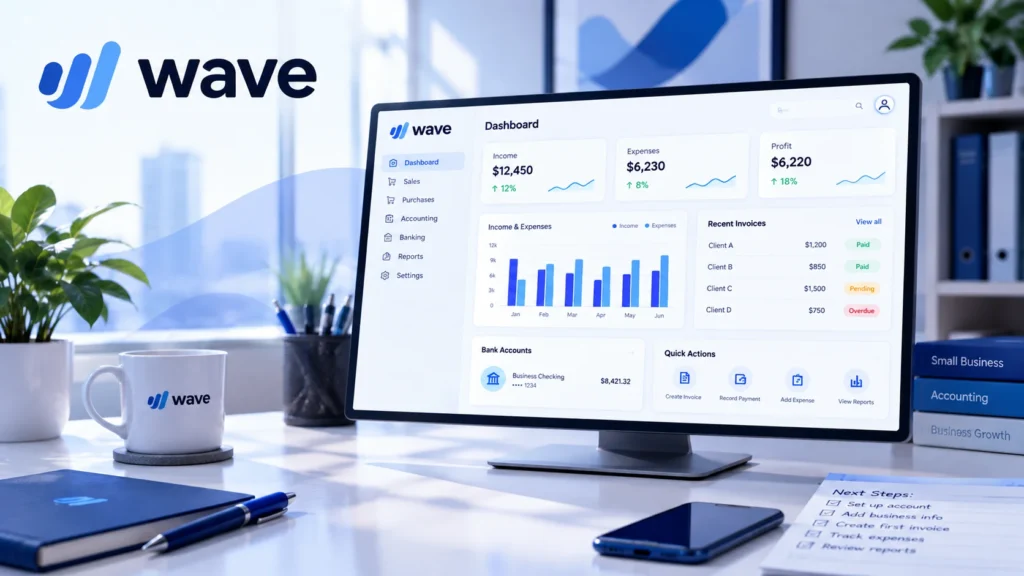

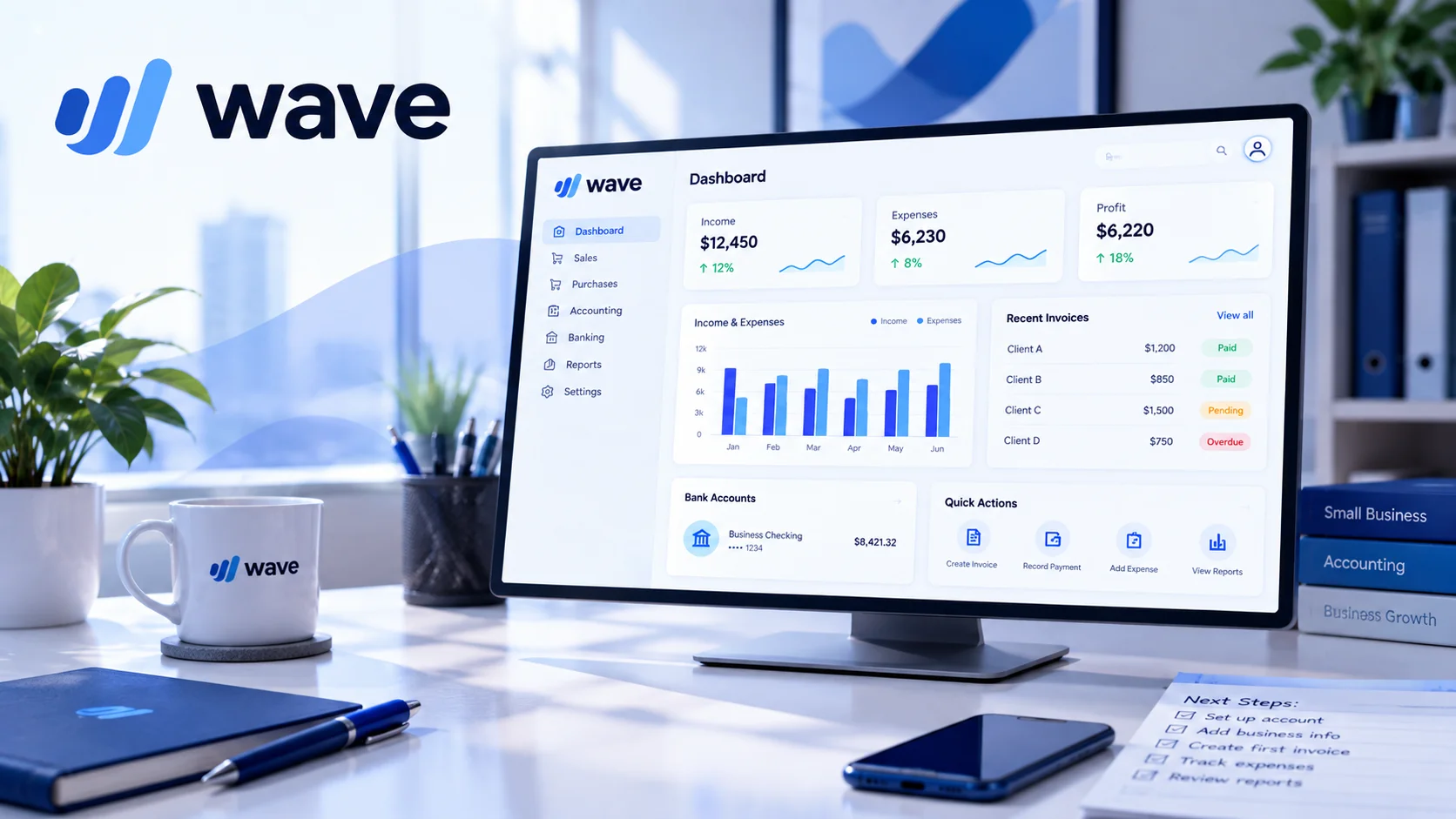
If you are looking at Wave Accounting Software for your business, the first thing you may want to know is whether it is still free in 2026. The answer is yes, but only part of Wave is available at no cost. Wave now offers a free Starter plan alongside a paid Pro plan with additional accounting and automation features.
Wave is built for small businesses that need tools for accounting, invoicing, estimates, expenses, payments, and other financial tasks. However, pricing is not the only thing to consider. Availability, integrations, missing features, security, and the type of business you run can all affect whether Wave makes sense for you.
In this Digi Radars guide,, we will look at the current Wave Accounting Software features, pricing, free plan, integrations, purchase orders, security, availability, ownership, and user feedback. We will also compare Wave with FreshBooks and explain where Wave may or may not fit your needs.
Quick Answer: Is Wave Accounting Software Still Free in 2026?
Yes, Wave Accounting Software still has a free Starter plan in 2026. It includes core accounting, bookkeeping records, invoices, estimates, and bills without a monthly subscription fee.
However, Wave is not completely free. Features such as automatic bank transaction imports are available with the $19 per month Pro plan in the United States, while payment processing, payroll, and some other services can add separate costs.
Wave is mainly designed for small businesses with straightforward accounting needs. It is currently focused on the United States and Canada, and businesses that need advanced accounting workflows, dedicated purchase orders, or extensive integrations should check the available features before choosing it.
What Is Wave Accounting Software?
Wave Accounting Software is a cloud based accounting platform designed mainly for small businesses and people who manage their own business finances. It combines accounting and bookkeeping tools with features for invoicing, estimates, payments, receipts, and financial reporting.
Wave is different from some accounting platforms because it offers a free Starter plan alongside its paid Pro plan. The free option can cover basic accounting and invoicing needs, while Pro adds features such as automatic bank transaction imports, automated transaction categorization, unlimited receipt capture, and additional user controls.
The platform is also more limited in some areas than full scale business accounting systems. Features, payment services, and availability can depend on your location, so checking the current plan details before signing up is important.
Is Wave Accounting Software Still Available in 2026?
Yes, Wave Accounting Software is still available in 2026, but its availability depends on where you live. Wave currently focuses its accounting services on businesses in the United States and Canada.
This is important if you are researching Wave from outside those countries. Wave previously supported users in more locations, but it later narrowed its geographic focus. New users outside the United States and Canada should not assume that all Wave services are available to them.
For users in supported countries, Wave continues to offer its Starter and Pro plans. The Starter plan provides basic accounting and invoicing tools at no monthly subscription cost, while Pro adds features and automation that are not included with Starter.
Wave Accounting Software Features
| Feature | Starter | Pro |
| Accounting | ✓ | ✓ |
| Invoicing & Estimates | ✓ | ✓ |
| Expense Tracking | Basic | Advanced |
| Receipt Scanning | Add-on | Included |
| Bank Import | ✗ | ✓ |
| Financial Reports | ✓ | ✓ |
| Online Payments | Paid | Paid |
| Payroll | Add-on | Add-on |
Wave Accounting Software combines bookkeeping, invoicing, estimates, expense tracking, payments, and financial reporting in one platform. The exact features you get depend on whether you use the free Starter plan or the paid Pro plan.
Accounting and Bookkeeping
Wave provides double entry accounting tools for tracking business income and expenses. You can create bookkeeping records, organize transactions, manage accounts, and use financial reports to understand the financial position of your business.
The Starter plan includes unlimited bookkeeping records. Pro adds automatic bank transaction imports, automatic transaction merging, and categorization to reduce manual bookkeeping work.
Invoicing and Estimates
Wave lets you create and send invoices and estimates from the platform. The Starter plan includes unlimited estimates and invoices, along with mobile invoicing through the Wave app.
Pro adds features such as reusable message templates and attachments for invoices and estimates. It also includes automated late payment reminders.
Expense and Receipt Tracking
Wave can help you record business expenses and organize receipts. Pro includes unlimited digital receipt capture with OCR, which can extract information from uploaded receipts and turn it into bookkeeping records.
Receipt scanning is not simply included with every Wave account. Starter users can purchase it as an add-on, while Pro includes the feature as part of the paid plan.
Bank Transaction Import
Automatic bank transaction importing is a Pro feature. Wave uses Plaid to connect supported financial institutions, after which transactions can be imported into the account automatically. Wave notes that not every financial institution is supported.
This difference matters if you want Wave to reduce manual bookkeeping. The free Starter plan does not include automatic bank transaction importing.
Reports and Cash Flow
Wave provides financial reports such as profit and loss, balance sheet, and cash flow reports. Its dashboard also brings together information about income, expenses, payments, and invoices.
These tools are aimed at helping small business owners monitor their finances without needing a separate reporting system.
Online Payments
Wave can accept online payments through invoices. Payment processing is charged separately from the monthly subscription, with different rates depending on the payment method and plan.
The Starter plan currently lists a 2.9% plus $0.60 fee for most credit card transactions. Pro offers a discounted rate for the first 10 credit card transactions each month before the standard Starter rate applies.
Payroll
Wave also offers payroll as an additional service rather than making it part of the basic accounting subscription. The current pricing page lists payroll as an add-on, with pricing depending on the applicable plan and market.
That means businesses looking for accounting and payroll together should calculate the total cost rather than looking only at the Wave subscription price.
Is Wave Free Accounting Software?
Yes, Wave still offers free accounting software in 2026 through its Starter plan. You can use Starter without a monthly subscription fee for core accounting, bookkeeping records, invoicing, and estimates.
However, Wave is not completely free. Some features and services require payment. For example, automatic bank transaction imports are available with Pro, while receipt scanning can be purchased as an add-on for Starter users.
Online payment processing also has separate transaction fees. Payroll and professional bookkeeping services are additional paid services.
So, if you only need basic accounting and invoicing, the free Starter plan may be enough. If you need more automation or advanced features, you need to consider the cost of Pro and any additional services you use.
Wave Accounting Software Pricing in 2026
Wave Accounting Software pricing is straightforward in 2026. The Starter plan costs $0 per month, while the Pro plan costs $19 USD per month or $190 USD per year. Wave also lists Canadian pricing separately at $25 CAD per month or $250 CAD per year.
| Plan | Price | Main difference |
| Starter | $0 | Basic accounting and invoicing |
| Pro | $19/month | Automation and additional features |
| Pro Annual | $190/year | Pro with annual billing |
| Payroll | Add-on | Additional cost |
| Wave Advisors | From $149/month | Professional bookkeeping |
The Starter plan includes unlimited estimates, invoices, bills, and bookkeeping records. Pro adds automatic bank imports, transaction categorization, unlimited digital receipt capture, expense tracking, and automated late payment reminders.
Online payments are charged separately from the subscription. Starter currently lists credit card processing at 2.9% plus $0.60 per transaction, while Pro charges 2.9% plus $0 for the first 10 eligible credit card transactions in each monthly billing period. Standard Starter rates apply after those 10 transactions.
Wave also offers optional paid services. Payroll is listed as an add-on, while Wave Advisors provides bookkeeping services starting at prices that vary by billing option and service package.
One important detail is that Wave pricing can change. The figures above reflect the pricing currently published by Wave and should be checked again before subscribing.
How Much Is Wave Accounting Software?
Wave Accounting Software costs $0 per month for the Starter plan or $19 per month for the Pro plan in the United States. Pro is also available with annual billing for $190 per year.
The free Starter plan covers basic accounting, bookkeeping records, invoices, estimates, and other core tools. Pro costs more because it adds features such as automatic bank imports, transaction categorization, receipt capture, expense tracking, and automated payment reminders.
You may also pay additional fees for services such as online payment processing, receipt scanning on Starter, payroll, or professional bookkeeping services. Therefore, the amount you actually spend depends on which Wave features and services your business needs.
For a basic accounting setup, the monthly subscription cost can be $0. A business that needs the Pro features will need to budget $19 per month, plus any applicable transaction fees or paid add-ons.
How to Use Wave Accounting Software
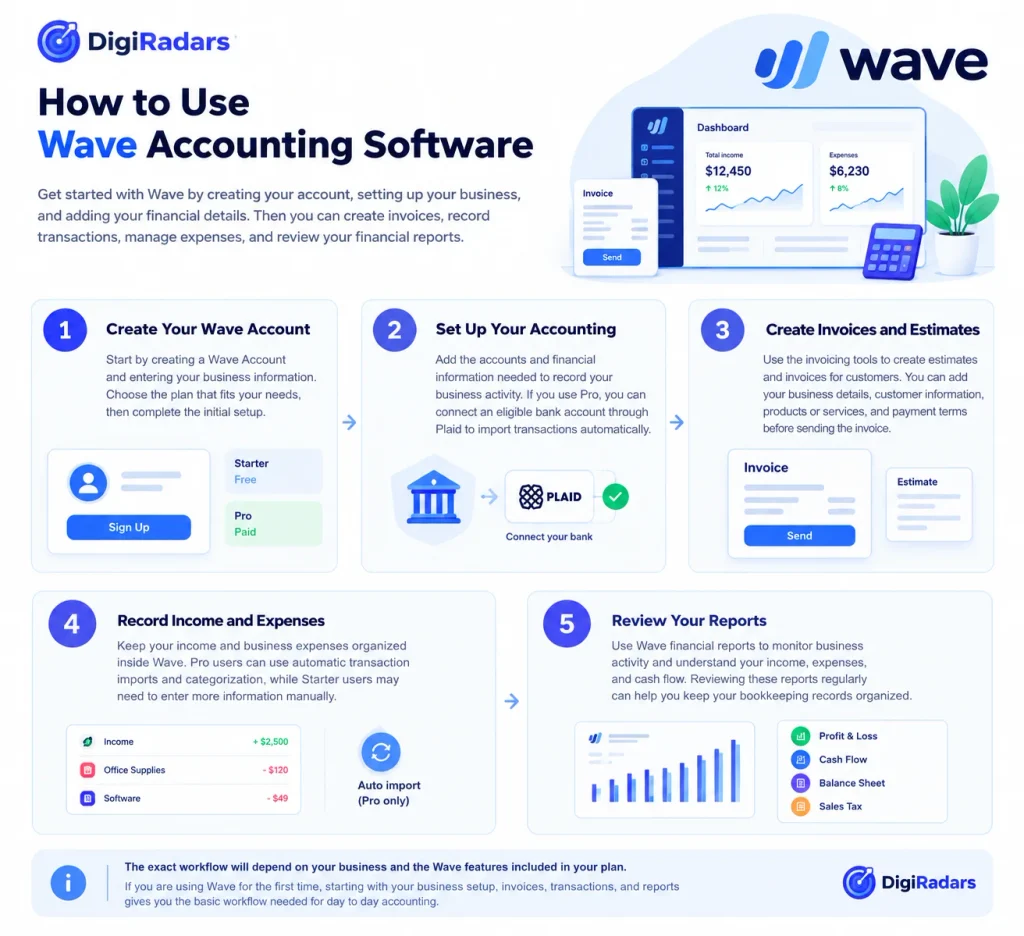
You can start using Wave by creating an account, adding your business information, and setting up the financial details you want to track. From there, you can create invoices, record transactions, manage expenses, and review financial reports.
1. Create Your Wave Account
Start by creating a Wave account and entering your business information. Choose the plan that fits your needs, then complete the initial setup.
2. Set Up Your Accounting
Add the accounts and financial information needed to record your business activity. If you use Pro, you can connect an eligible bank account through Plaid to import transactions automatically.
3. Create Invoices and Estimates
Use the invoicing tools to create estimates and invoices for customers. You can add your business details, customer information, products or services, and payment terms before sending the invoice.
4. Record Income and Expenses
Keep your income and business expenses organized inside Wave. Pro users can use automatic transaction imports and categorization, while Starter users may need to enter more information manually.
5. Review Your Reports
Use Wave financial reports to monitor business activity and understand your income, expenses, and cash flow. Reviewing these reports regularly can help you keep your bookkeeping records organized.
The exact workflow will depend on your business and the Wave features included in your plan. If you are using Wave for the first time, starting with your business setup, invoices, transactions, and reports gives you the basic workflow needed for day to day accounting.
Does Wave Accounting Software Integrate With Stripe?
Wave does not currently document a native direct Stripe integration in its official integration information. If you want to connect Stripe with Wave, you may need to use a third party automation service rather than expecting Stripe to appear as a built in Wave integration.
Wave supports integrations through its own services and partner tools. Existing Zapier connections can also continue to work, but Wave has changed how those connections are managed. Users now manage Zapier connections through Zapier rather than directly inside Wave.
This means a Stripe to Wave workflow may be possible through a third party automation platform, but that is different from having a native Stripe integration. If Stripe integration is important to your accounting workflow, check the current supported connection and the specific actions available before setting it up.
Does Wave Accounting Software Have a Purchase Orders Feature?
Wave Accounting Software does not appear to offer a dedicated native purchase orders feature. Its current accounting tools cover areas such as bills, expenses, invoices, estimates, and bookkeeping, but the official feature information does not list purchase orders as a separate feature.
This matters if your business uses purchase orders to approve purchases before placing an order. You may need to handle that process outside Wave and then record the resulting bills or expenses in Wave.
If purchase orders are an important part of your workflow, check the current Wave documentation before choosing the platform. Feature availability can change as Wave updates its product.
Is Wave Accounting Software Safe?
Wave Accounting Software uses several security measures to protect account and financial data. Wave states that it is PCI-DSS Level 1 certified, uses encryption for data transmission, and protects its servers with physical and technical security controls.
For bank connections, Wave says connections are read-only and protected with 256-bit encryption. This means the connected account is used to retrieve financial information rather than giving Wave permission to move money from the bank account.
Wave also says passwords are encrypted and that communications between its mobile apps and servers are protected by security protocols.
These measures provide useful security protections, but no online accounting service can guarantee that an account will never be compromised. You should still use a strong, unique password, protect your email account, and avoid sharing your Wave login details.
Overall, Wave has documented security controls for protecting financial information, but users should still follow normal account security practices.
Who Owns Wave Accounting Software?
Wave Accounting Software is owned by H&R Block, the US tax preparation and financial services company. H&R Block completed its acquisition of Wave Financial in 2019 for $405 million in cash.
Wave was founded in 2009 by Kirk Simpson and James Lochrie. After the acquisition, Wave continued operating within H&R Block as a separate business, with its leadership team remaining in place at the time.
The ownership is still relevant today because Wave is part of H&R Block rather than an independent accounting software company. H&R Block has also described Wave as a subsidiary of the company in its corporate materials.
Wave Accounting Software Review 2026
Wave Accounting Software remains focused on small businesses that need accounting and invoicing without the cost of a traditional full-service accounting system. Its current model is built around a free Starter plan and a paid Pro plan, giving users a choice between basic tools and additional automation.
The main change to keep in mind in 2026 is that Wave is no longer simply a completely free accounting platform. Starter is free, but useful features such as automatic bank transaction imports are reserved for Pro. Payment processing and services such as payroll can also add to the total cost.
Wave also has limitations. Its availability is focused on the United States and Canada, and it does not appear to provide a dedicated native purchase orders feature. Users who depend on specific integrations or more advanced accounting workflows should check whether Wave supports those requirements before moving their financial records to the platform.
For a small business that mainly needs bookkeeping, invoicing, estimates, and basic financial reporting, Wave provides a relatively simple setup. Businesses with more complex accounting requirements may need to look beyond its core features.
What Do Wave Users Say?
Current user reviews show a mixed experience with Wave. Users commonly praise its ease of use, invoicing, basic accounting tools, and free Starter plan. Capterra currently lists Wave at 4.4 out of 5 from 1,730 reviews, while its review pages also contain recent complaints about payment handling, customer support, and limits in the free plan.
One recurring positive theme is simplicity. Recent reviewers describe Wave as easy to use for invoicing, bookkeeping, and tracking income and expenses. Some small business users also say the free plan provides enough features for their needs.
Pricing changes are another common discussion point. Some users appreciate that basic accounting remains free, while others are unhappy that features such as automatic bank imports now require the paid Pro plan.
Customer support and payment processing receive more mixed feedback. Recent 2026 reviews include complaints about payment holds and difficulty resolving payment issues, while other users report positive experiences with support. These are individual user experiences rather than evidence that every Wave customer will encounter the same problems.
Overall, the review pattern suggests that Wave is particularly appealing to users who value simple accounting and low subscription costs, while businesses that need extensive automation, advanced features, or dependable payment support should examine the limitations carefully before choosing it.
Wave Accounting Software Pros and Cons
Wave has a clear advantage for small businesses that want basic accounting and invoicing without a monthly subscription. At the same time, its limits become more important when a business needs advanced features, broader integrations, or more complex financial workflows. Current software review platforms show strong feedback for ease of use and value, while some reviewers report concerns about support, integrations, and feature depth.
Pros
- Free Starter plan for core accounting and invoicing
- Simple interface for basic bookkeeping tasks
- Unlimited invoices and estimates on Starter
- Pro adds automatic bank imports and transaction categorization
- Receipt capture and expense tracking are available
- Online payment processing is built into the platform
- Useful for freelancers, solopreneurs, and small businesses
Cons
- Automatic bank imports require Pro
- Some features require paid add-ons or transaction fees
- Fewer advanced accounting features than larger platforms
- Integration options may be limited for businesses with complex workflows
- Some users report slow or difficult customer support experiences
- Wave is mainly focused on businesses in the United States and Canada
User reviews support the general pattern of simple accounting and invoicing being major strengths, while feature limitations and customer support appear among recurring complaints. These experiences vary between users, so they should not be treated as a guarantee of what every Wave customer will experience.
Is Wave a Good Accounting Software?
Wave can be a good accounting software choice for a small business that mainly needs bookkeeping, invoicing, estimates, and basic financial management. The free Starter plan covers unlimited invoices, estimates, bills, and bookkeeping records, while Pro adds features such as automatic bank imports, transaction categorization, receipt capture, and automated payment reminders.
The answer changes if you need more advanced accounting features. Wave does not try to provide every feature found in larger accounting platforms, so businesses with complex accounting workflows should check the specific features they need before switching.
Cost is one of Wave main advantages. You can start with the $0 Starter plan and upgrade to Pro at $19 per month or $190 per year in the United States. However, payment processing, payroll, receipt scanning on Starter, and bookkeeping services can create additional costs.
Who Should Use Wave Accounting Software?
Wave Accounting Software is mainly suited to small businesses and self-employed users who need basic accounting and invoicing without paying for a monthly accounting subscription. Its free Starter plan can cover core bookkeeping, invoices, estimates, and bills.
Freelancers and Solo Business Owners
Freelancers who mainly send invoices, track income and expenses, and maintain basic bookkeeping records can use Wave without paying a monthly subscription for the Starter plan.
Small Businesses
Small businesses with straightforward financial activity may find the combination of bookkeeping, invoicing, estimates, payments, and financial reports useful in one platform.
Businesses That Want to Start Free
Wave can also work for businesses that want to begin with basic accounting at no monthly cost. If the business later needs automatic bank imports, receipt capture, and other Pro features, it can upgrade to the paid plan.
Wave is currently focused on businesses in the United States and Canada, so users in other countries should first confirm whether the required Wave services are available in their location.
Who Should Not Use Wave Accounting Software?
Wave Accounting Software may not fit businesses that need advanced accounting tools, complex purchasing workflows, or a large range of integrations. The free Starter plan can cover basic accounting needs, but moving beyond those needs may require Pro or other services.
Businesses With Complex Accounting Needs
Companies with more complicated accounting processes may need features that go beyond Wave core accounting and reporting tools. Before choosing Wave, check whether it supports the specific accounting workflows your business requires.
Businesses That Need Purchase Orders
Wave does not currently document a dedicated native purchase orders feature. If purchase orders are an important part of your purchasing process, you may need another tool to manage them.
Businesses Outside Supported Markets
Wave currently focuses its services on the United States and Canada. Businesses in other countries should not assume that Wave accounting, payments, payroll, or support services will be available to them.
Businesses That Need Extensive Integrations
If your business depends on several third party applications, check each required integration before signing up. Wave supports integrations and automation options, but not every service has a native connection.
Businesses That Need Advanced Automation
The free Starter plan does not include automatic bank transaction imports. Businesses that rely heavily on automated bookkeeping may need Pro or another accounting platform with the required automation included.
Wave vs FreshBooks: Which Cloud Accounting Software Is Better?
Wave and FreshBooks both provide cloud based accounting tools for small businesses, but they take different approaches. Wave offers a free Starter plan, while FreshBooks uses paid subscription plans and focuses heavily on invoicing, expenses, time tracking, projects, and client management.
| Feature | Wave | FreshBooks |
| Free accounting plan | Yes | No |
| Invoicing | Yes | Yes |
| Estimates | Yes | Yes |
| Expense tracking | Yes | Yes |
| Automatic bank imports | Pro | Available on supported plans |
| Time tracking | Limited compared with FreshBooks | Yes |
| Project management | Limited | Yes |
| Online payments | Yes | Yes |
| Payroll | Add-on | Available through integrations or partners |
| Purchase orders | No dedicated feature | Check current plan and feature availability |
Wave for Lower Subscription Costs
Wave can be useful if keeping the monthly software cost low is important. Its Starter plan provides core accounting and invoicing at no monthly subscription cost, while Pro adds more automation for $19 per month in the United States.
FreshBooks for Client and Project Work
FreshBooks places more emphasis on workflows such as time tracking, project management, client billing, expenses, and project profitability. These features can matter more to service based businesses that bill clients for their time.
Which One Fits Your Business?
The choice depends on the features your business actually needs. Wave may fit a business that wants basic accounting and invoicing with a free starting plan, while FreshBooks may be more relevant when time tracking, projects, and client focused workflows are important.
Before switching, compare the current plans for the specific features you use. Pricing and included features can change over time, so the plan pages should be checked before making a subscription decision.
Frequently Asked Questions
Is Wave Accounting Software really free?
Yes. Wave offers a free Starter plan with core accounting, bookkeeping, invoicing, estimates, and bills. Some features and services require Pro, add-ons, or separate transaction fees.
Is Wave Accounting Software still available in 2026?
Yes. Wave is still available in 2026, but its services are focused on the United States and Canada. Users outside these markets should check current availability before signing up.
How much does Wave Accounting Software cost?
The Starter plan costs $0 per month. The Pro plan costs $19 per month or $190 per year in the United States, with additional charges possible for payments, payroll, and other services.
Does Wave Accounting Software work with Stripe?
Wave does not currently document a native direct Stripe integration. Stripe and Wave can potentially be connected through third party automation services, depending on the workflow.
Does Wave Accounting Software have purchase orders?
Wave does not currently document a dedicated native purchase orders feature. Businesses that need purchase orders may need to manage them through another system.
Is Wave Accounting Software safe?
Wave states that it uses security measures such as encryption, read-only bank connections, and PCI-DSS Level 1 certification. These measures do not remove all security risks, so users should also protect their accounts with strong security practices.
Who owns Wave Accounting Software?
Wave Accounting Software is owned by H&R Block. H&R Block acquired Wave Financial in 2019 for $405 million in cash.
Conclusion
Wave Accounting Software is still a practical option in 2026 for small businesses that need basic accounting and invoicing without a monthly subscription. Its free Starter plan covers core tasks, while the Pro plan adds features such as automatic bank imports, transaction categorization, receipt capture, and payment reminders.
The main things to consider are the limits of the free plan, additional payment and service costs, supported countries, integrations, and missing features such as dedicated purchase orders. These factors can matter more than the $0 starting price depending on how your business operates.
If your accounting needs are simple, Wave gives you a way to manage essential financial tasks without committing to a paid accounting subscription. If you need more advanced workflows, extensive integrations, or features outside Wave core offering, compare those requirements with other accounting platforms before making a decision.